Virtual Data Room
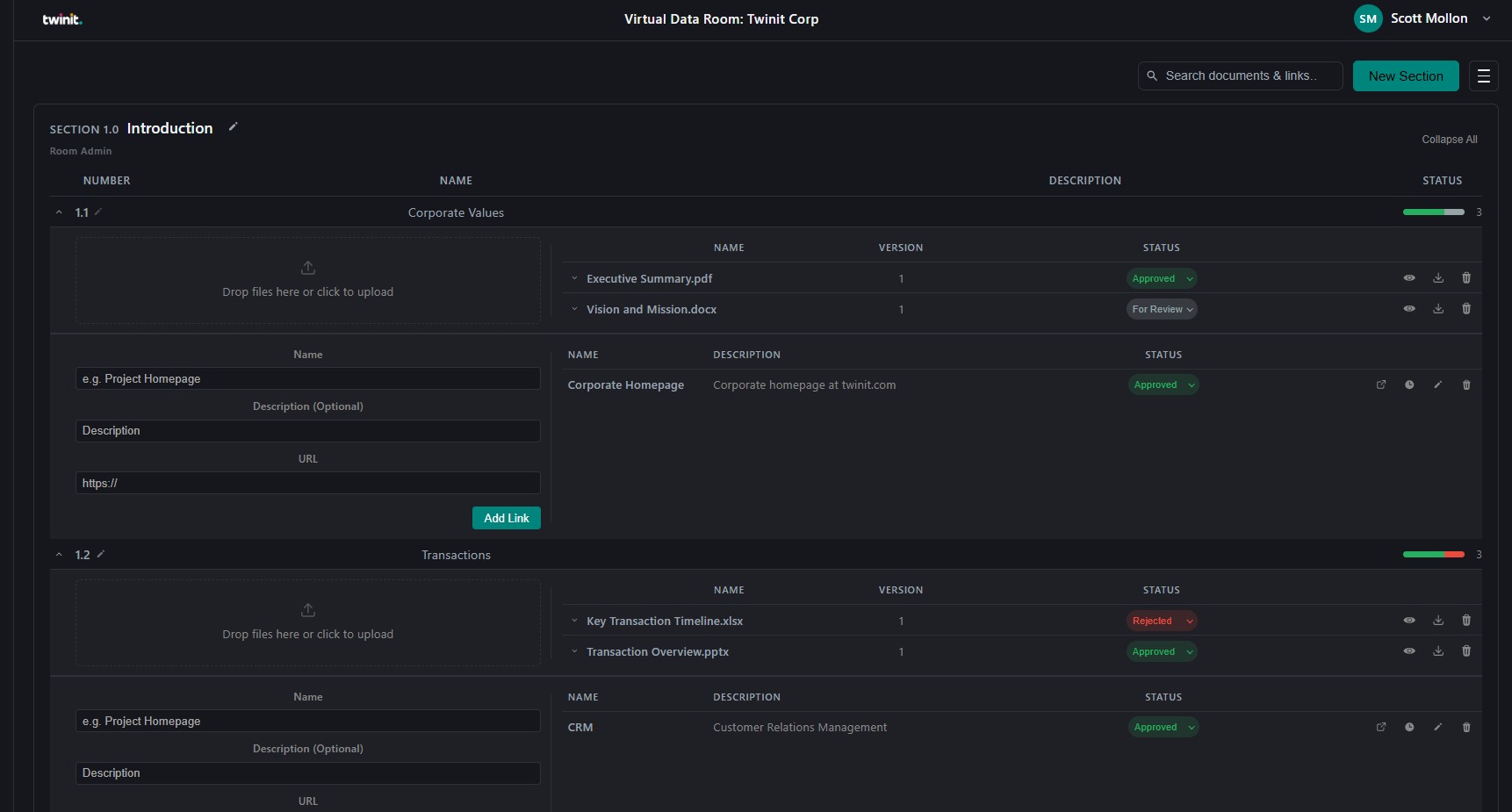
Virtual Data Room is a Twinit application template for teams that need controlled, auditable access to sensitive materials. Built on Twinit, it provides a structured document management environment organised into sections and subsections that mirror deal, project, or compliance folders. Each section has independent role-based access (Room Admin, Section Admin, Section Contributor, Section Viewer). Documents are versioned on upload, labelled with review status (For Review, Approved, Rejected), and can be viewed in the browser or downloaded without leaving the Room. Teams can also add external links with the same status and history controls, search across the Room, recover items from a trash bin, and follow a full audit trail of review decisions.
The template ships a React web client, backend OMAPI scripts, and a deployable template package (vdr.zip) so you can stand up a Room with the Virtual Data Room experience out of the box—then customize branding, roles, and which review workflows you enable.
Note: Virtual Data Room requires a valid Twinit account and the ability to run or host a React web client. Completing the Self-Led Developer training, including the React UI courses, on Twinit Academy is recommended before you implement this template.
Learn more about the Virtual Data Room Template on GitHub